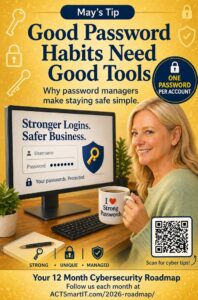
May’s Vital Action:
Passwords & Password Managers
Passwords & Password Managers
PASSWORDS ARE YOUR FIRST LINE OF DEFENSE
Humans are the front door—and passwords are the lock.
Every account you use—email, banking, work systems—has a password.
If that password is weak, reused, or stolen, it’s like leaving the door
unlocked.
Why Passwords Matter
- Over 80% of breaches involve stolen or weak passwords
- Hackers use automated tools to guess passwords in seconds
- One stolen password can unlock multiple accounts
What Makes a Strong Password?
A strong password is:
- Long (at least 12–16 characters)
- Unique (never reused)
- Hard to guess
Better Example:
BlueCar!River7Toast
Weak Example:
- Password123
Common Mistakes to Avoid
- Using the same password everywhere
- Writing passwords on sticky notes
- Saving passwords in browsers only
- Using names, pets, or birthdays
- Making small changes like:
- Password1 → Password2
GOOD HABITS NEED GOOD TOOLS
What Is a Password Manager?
A password manager is a secure app that:
- Creates strong, random passwords
- Stores them safely
- Fills them in for you when needed
> You only need to remember one master password
Why Use a Password Manager?
- No more reusing passwords
- No more “forgot password” frustration
- Stronger security without extra effort
- Easy login across devices
Think of it like a toolbox for your passwords—it helps you build safer habits.
But Is It Safe?
Password managers use strong encryption to protect your data.
Even if someone got access, they couldn’t read your passwords without your master key.
Simple Steps to Get Started
- Choose a trusted password manager
- Create a long, strong master password
- Turn on Multi-Factor Authentication (MFA)
- Start saving and updating your passwords
- Replace reused passwords over time
Pro Tips
- Use passphrases instead of short passwords
- Never share your master password
- Lock your devices when not in use
- Keep your software updated
Good password habits keep you safer.
Password managers make those habits easy.
Passwords vs Passkeys
Phishing Resistance: Passkeys are bound to the specific website or app that created them. Even if a user is tricked into visiting a fake site, the passkey cannot be used, stopping phishing attacks entirely.
- No Shared Secrets: Unlike passwords, which are stored on servers and can be stolen, passkeys use public key cryptography. The private key never leaves your personal device, and no secret is shared with the service provider.
- Immune to Data Breaches: If a company’s server is hacked, hackers cannot steal a password file, because it doesn’t exist.
- Convenience (No Memory Required): You do not need to invent, remember, or update passwords, nor do you need to manage multiple complex passwords, decreasing the risk of password reuse.
- Biometric Security: Login is typically done with a simple fingerprint scan or facial recognition, which is faster and more secure than typing characters.
- Cross-Device Compatibility:Passkeys can be synchronized across devices through services like iCloud Keychain or Google Password Manager, allowing seamless login on phones, laptops, and tablets
Why They Are Safer: Passkeys prevent malicious actors from guessing, hacking, or phishing your login credentials. Because the authentication requires physical access to your device combined with biometric verification, the risk of unauthorized access is drastically reduced.