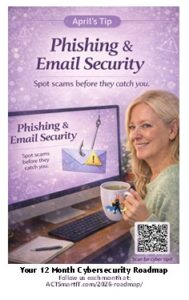
April’s Vital Action:
Phishing & Email Security
Phishing & Email Security
What is Phishing?
Simple Definition:
Phishing is when scammers pretend to be trusted sources to trick you into giving information or clicking harmful links.
Quick Examples:
- Fake password reset emails
- “Your package is delayed” messages
- Urgent bank alerts

Email Scams (Red Flags)
“Spot the Scam” Checklist:
- Unexpected attachments
- Urgent language (“Act now!”)
- Misspelled sender emails
- Links that don’t match the sender
- Requests for passwords or payments
Business Email Compromise (BEC)
What it is:
Scammers impersonate executives or vendors to request money or sensitive info.
Common Scenarios:
- “Hey, I need a quick favor—buy gift cards”
- Fake invoice from a “vendor”
- CEO asking for urgent wire transfer
Smishing & QR Code Scams
Smishing = SMS phishing
- Fake delivery texts
- “Suspicious account activity” alerts
QR Code Scams (Quishing):
- Malicious codes redirect to fake login pages
 How to Stay Safe
 How to Stay Safe
Simple Rules:
- Think before you click
- Verify requests through a second channel
- Hover over links before clicking
- Report suspicious messages
- Use strong passwords + MFA
Did you know?
- Over 90% of cyberattacks start with a phishing email.
- 1 in 3 people will click on a phishing link if not properly trained
- Phishing is involved in over 70% of data breaches
- Most phishing attacks take less than 60 seconds to trick someone.
- Human error is involved in over 70% of cyber incidents.
- Attackers only need one click — but you have to get it right every time.
Protect your business from digital fraud
Digital fraud is becoming faster, smarter and much harder to spot, often helped along by AI.
Scammers rely on creating panic with urgent messages or fake warnings, hoping you’ll react quickly without thinking.
The safest response is always to pause. Check the situation through a trusted source. And avoid clicking links or replying directly to unexpected messages.
Most scams are after your money or your data. Remember that legitimate organizations will never ask for passwords, full bank details or remote access out of the blue.
Alongside awareness, strong defenses make a huge difference.
Simple tools like authenticator apps, password managers and regular software updates can block many attacks before they cause harm.
It’s also wise to review which apps and devices have access to your accounts and remove any you no longer use.
And don’t forget to report scams. Every report helps protect others.