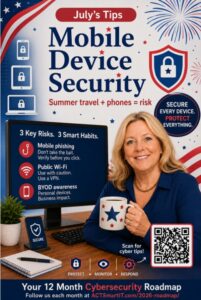
July’s Vital Action-
Mobile Device Security
Mobile Device Security
Your Phone Is a Computer. Treat It Like One.
Most people protect their office computers but forget that their smartphones and tablets contain just as much valuable information.
Think about everything on your phone:
- Banking apps
- Passwords
- Photos
- Contacts
- Business documents
- Saved logins
If a cybercriminal gains access to your phone, they may gain access to your
business, too.
Watch Out for Mobile Phishing
Cybercriminals know we read messages quickly on our phones.
Instead of long emails, they often send:
- Text messages (Smishing)
- Social media messages
- QR codes
- Fake package notifications
- Fake bank alerts
- Password reset requests
The small screen makes it harder to notice fake web addresses or suspicious links.
Before you tap:
Slow down.
Read the entire message.
Don’t click unexpected links.
Go directly to the company’s website or app instead.
If you’re unsure, ask someone before responding.
Remember:
If a message creates panic or urgency, it’s exactly when you should slow down.
Public Wi-Fi Isn’t Always Public…It Can Be Public for Criminals Too
Free Wi-Fi at airports, hotels, restaurants, and coffee shops is convenient—but it isn’t always secure.
Whenever possible:
- Use your cellular connection.
• Use a VPN if your company provides one.
• Avoid online banking or shopping on public Wi-Fi.
• Turn off automatic Wi-Fi connections.
BYOD (Bring Your Own Device)
Many employees use personal phones or tablets for work.
That’s perfectly fine—but personal devices need business-level protection.
Good BYOD habits include:
- Keep your phone updated.
• Use Face ID, fingerprint, or a strong passcode.
• Install apps only from trusted app stores.
• Report a lost or stolen device immediately.
• Separate personal and business information whenever possible.
July Challenge
This week, take five minutes to check your phone:
◻ Install any available updates.
◻ Remove apps you no longer use.
◻ Turn on automatic updates.
◻ Review your Wi-Fi settings.
◻ Make sure screen lock protection is enabled.
A secure phone is one of the easiest—and most important —ways to protect your business.
Every Summer Has Surprises…
Fireworks.
Vacations.
Ice cream.
Cracker Jack prizes.
Cyberattacks shouldn’t be one of them.
Before you head out:
◻ Update your phone
◻ Turn on screen lock
◻ Skip public Wi-Fi when possible
◻ Think before tapping links or QR codes
Have an amazing summer…
and keep your mobile devices as safe as your
sunscreen.