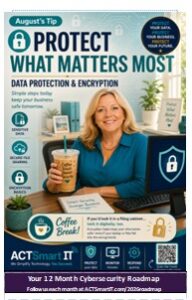
August’s Vital Action –
Data Protection & Encryption
Data Protection & Encryption
What Is Sensitive Data?
Every business has information that should stay private.
Think about the information you would never want a stranger to see.
That includes:
 Customer information
- Employee records
- Payroll information
- Financial records
- Credit card numbers
- Medical information
- Tax documents
- Passwords
- Contracts and legal documents
 Customer information
If someone stole this information, it could cost your business money, damage your reputation, or even lead to identity theft.
The good news?
Protecting sensitive data doesn’t have to be complicated. A few smart habits make a huge difference.
Did You Know?
More than 90% of cyberattacks begin with someone gaining access to
information they shouldn’t have.
Protecting your data makes you a much harder target.
Quick Check
Would you feel comfortable posting this file on Facebook?
If the answer is No, it probably deserves extra protection.
Share Files Safely
Sending a file isn’t always as private as people think.
Email can travel through many different systems before reaching the
recipient.
If the file contains confidential information, protect it first.
Better Ways to Share Files
√ Use secure cloud-sharing links.
√ Password-protect important documents.
√ Share passwords separately—never in the same email.
√ Double-check the recipient before clicking Send.
√ Remove old shared links when they’re no longer needed.
Think of encryption like sealing a letter inside a locked envelope instead of mailing a postcard.
Did You Know?
A simple typing mistake in an email address can send confidential information to a complete stranger.
Always pause for one last look before sending.
Remember
Encrypt. Verify. Then Send.
August’s Smart Tip
You don’t have to hide your data…You just have to protect it
Encryption Made Easy
Encryption sounds complicated… It really isn’t.
Imagine locking your important papers inside a safe. Even if someone steals the safe, they still can’t read what’s inside without the combination.
Encryption works the same way. It scrambles information so only someone with the correct key can unlock it.
Many of the apps you already use encrypt your information
automatically.
Examples include:
- Banking websites
- Shopping online
- Microsoft 365
- Secure websites -look for the
- Modern smartphones

Whenever possible, save sensitive information in services that automatically encrypt your data.
Did You Know?
If an encrypted laptop is lost or stolen, the files on it are often unreadable without the proper login credentials.
Encryption can turn a potentially serious data breach into nothing more than an inconvenience.